
Get Started in 4 Steps
Connect Your Wallet
Choose your preferred authentication method:
Social Login
Sign in with Twitter, Discord, or email via Privy. We create a secure embedded wallet for you.
Existing Wallet
Connect MetaMask, Coinbase Wallet, Rainbow, or any WalletConnect-compatible wallet.
Import Safe
Already have a Polymarket Safe? Import it directly and start trading.
Set Up Your Trading Wallet
For gasless trading on Polymarket, you’ll need a Safe smart contract wallet.The setup wizard handles: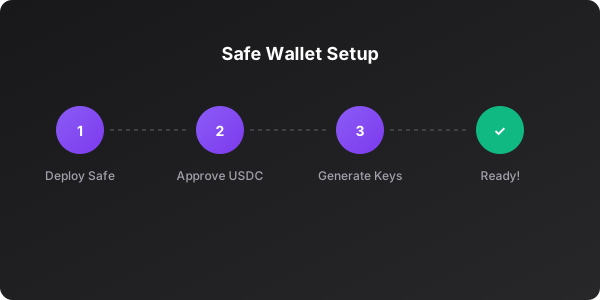
- Deploying your Safe wallet on Polygon
- Approving USDC for trading
- Generating your Polymarket API credentials
Fund Your Account
Add USDC to your trading wallet:
Bridge from any chain
Bridge from any chain
Use the built-in bridge to move funds from Ethereum, Arbitrum, Base, or Solana.
We integrate with Socket for optimal routing.
Buy with card
Buy with card
Purchase USDC directly with your credit/debit card via our Privy integration.
Available in supported regions.
Transfer from exchange
Transfer from exchange
Send USDC (Polygon) directly to your Safe wallet address from any exchange.
Finding Opportunities
Matched Markets
The real power of Matchr is seeing price differences across platforms. Look for the “Matched” badge on any market card:
- Current prices on each platform
- Spread percentage
- Historical price convergence
Using Filters
By Category
Politics, Sports, Crypto, Entertainment, Science, and more
By Platform
Show only Polymarket, only Kalshi, or all platforms
By Volume
Filter by 24h volume: 10K+, 1M+
By Status
Active only, ending soon, or include resolved
Sorting Options
| Sort | Best For |
|---|---|
| Trending | Finding hot markets with momentum |
| Volume | Liquid markets with tight spreads |
| Newest | Early opportunities before crowds |
| Ending Soon | Time-sensitive resolution plays |
Managing Your Portfolio
View Positions
Click Portfolio in the navigation to see:- Open Positions: Current holdings with real-time P&L
- Open Orders: Pending limit orders waiting to fill
- Trade History: Complete audit trail of all trades
Cancel Orders
Click the X next to any open order to cancel it instantly.Redeem Winnings
When a market resolves in your favor:- Go to Portfolio → Positions
- Find the resolved position
- Click Redeem to collect your winnings
Winnings are automatically sent to your Safe wallet in USDC.
Pro Tips
Use Limit Orders
Set your price and wait. Limit orders often get better fills than market
orders.
Check Both Outcomes
Sometimes buying NO is better value than selling YES. Compare both sides.
Watch the Orderbook
Large resting orders indicate strong support/resistance levels.
Monitor Matched Markets
When spreads widen, that’s often the best time to trade.
Keyboard Shortcuts
| Shortcut | Action |
|---|---|
⌘ + K | Quick search |
⌘ + P | Go to Portfolio |
⌘ + M | Go to Markets |
Escape | Close modal |
Need Help?
FAQ
Common questions answered